.jpg)
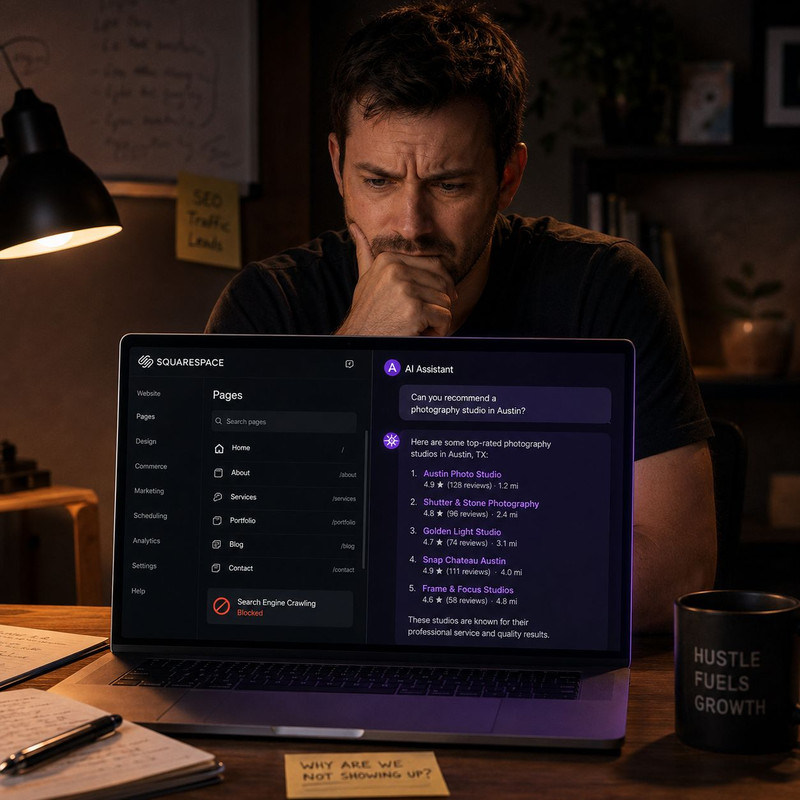
Your Squarespace site can rank fine on Google and still be completely invisible to ChatGPT and Claude, and the most common reason is a robots.txt setting almost nobody checks. According to research published in late 2025 on Squarespace AI bot blocking, Squarespace sites can generate a robots.txt file that disallows GPTBot, ClaudeBot, cohere-ai, and anthropic-ai by default, meaning your blog posts and pages can look perfect to Google while being structurally unreadable to the AI systems people now use to find businesses. According to a separate audit reported on DEV Community, roughly four out of every ten sites checked had at least one major AI crawler blocked without the owner knowing it. This guide covers the exact problems Squarespace owners are facing in 2026, the precise robots.txt file you need, the JavaScript rendering issue almost nobody talks about, and the schema gap that Squarespace's own tools cannot close for you.
Key Takeaways
- Squarespace gives you only two crawler checkboxes under Settings then Crawlers: one to block search engines and one to block AI crawlers. There is no native option to allow some AI bots while blocking others, which means most Squarespace owners are choosing between full visibility and full invisibility with no middle setting.
- According to a 2026 robots.txt reference guide for AI crawlers, 73% of websites overall have no specific AI crawler rules at all, and a separate technical audit found the same 73% figure for sites carrying at least one AI crawler block they were unaware of, citing data from OtterlyAI.
- According to Lantern's 2026 crawler behavior analysis based on more than 500 million GPTBot fetches, none of the major AI crawlers, including GPTBot, OAI-SearchBot, ChatGPT-User, ClaudeBot, Claude-SearchBot, and PerplexityBot, execute JavaScript as of June 2026. The one exception is Google's Gemini, which borrows Googlebot's rendering system.
- According to Schema Pilot's analysis of Squarespace structured data limitations, Squarespace has no plugin ecosystem for schema markup, no template level control to auto generate it, and per page code injection is locked behind the Business plan or higher. The Personal plan only allows site wide code injection.
- AI referred visitors convert at roughly 14.2% compared with 2.8% for standard Google organic traffic, a figure cited consistently across multiple 2026 GEO research reports including Lantern and Discovered Labs. A Squarespace site that fixes its AI visibility is not chasing a vanity metric. It is chasing the highest converting traffic source most small business owners have never measured.
Why a Squarespace Site Can Rank on Google and Still Be Invisible to ChatGPT
Google and AI search engines do not use the same crawlers, and Squarespace treats them very differently behind the scenes. Googlebot has spent years being engineered to render JavaScript and parse modern site builders correctly, which is why a Squarespace site usually looks fine in Google Search Console. AI crawlers were never given the same investment. According to the Lantern research above, GPTBot, ClaudeBot, and every other major AI agent fetch raw HTML and move on. They do not wait for scripts to finish, they do not execute client side code, and if your content or your robots.txt file tells them to stay away, they simply never come back to check again.
This creates a split visibility problem that is easy to miss because nothing in your normal Google rankings ever signals it. Your site can climb Google's results for months while being completely absent from every ChatGPT answer about your category, and there is no warning light anywhere in Squarespace's dashboard that tells you this is happening. The only way to know is to check the actual file yourself, which is exactly what most Squarespace owners have never done.
The Exact Robots.txt Problem on Squarespace
Squarespace does not give you a text editor for robots.txt. Instead, under Settings then Crawlers, you get two checkboxes: one labeled to exclude your site from search engines, and one labeled to exclude your site from AI crawlers. According to Chandra Web Design's documentation of the Squarespace crawler settings, checking the AI exclusion box adds a long list of bots to your robots.txt automatically, including AI2Bot, Ai2Bot-Dolma, aiHitBot, Amazonbot, anthropic-ai, Applebot-Extended, Bytespider, CCBot, ClaudeBot, cohere-ai, cohere-training-data-crawler, DuckAssistBot, FacebookBot, Google-Extended, GoogleOther, GoogleOther-Image, GoogleOther-Video, GPTBot, img2dataset, Meta-ExternalAgent, MyCentralAIScraperBot, omgili, omgilibot, Quora-Bot, TikTokSpider, and YouBot.
The encouraging detail in this list is what is missing from it. According to Collaborada's April 2026 robots.txt guide for Squarespace, earlier versions of this toggle included a broader mix of bots such as ChatGPT-User and PerplexityBot, but the list has since narrowed to focus specifically on crawlers used for training AI models rather than the live retrieval bots that power citations. If you have never touched this toggle, your default robots.txt almost certainly allows the retrieval bots that matter most for AI citations, such as OAI-SearchBot, ChatGPT-User, Claude-SearchBot, and PerplexityBot. The risk is for sites that checked the AI exclusion box at some point in the past, possibly years ago when AI crawling felt unfamiliar or unwelcome, and never revisited the decision. That single checkbox, ticked once and forgotten, is the single most common reason a Squarespace site is invisible to ChatGPT and Claude today.
The bigger structural limitation is that Squarespace's toggle is all or nothing. You cannot allow OAI-SearchBot for citations while blocking GPTBot for training, which is the configuration most businesses actually want. According to an independent 2026 Squarespace SEO test, you are limited to toggling a general block all crawlers option that is far too broad to be practical for anyone who wants nuanced control over which AI systems can read and cite their content.
The Robots.txt File That Actually Fixes Squarespace
Because Squarespace will not let you edit the file directly, the working fix is to host your own robots.txt externally and route Squarespace to it. According to the late 2025 Squarespace AI bot research, the most reliable free method uses GitHub Pages. Create a free GitHub account, create a repository named yourusername.github.io, and add a file named robots.txt with content similar to this:
User-agent: GPTBot
Allow: /

User-agent: OAI-SearchBot
Allow: /

User-agent: ChatGPT-User
Allow: /

User-agent: ClaudeBot
Allow: /

User-agent: anthropic-ai
Allow: /

User-agent: PerplexityBot
Allow: /

User-agent: *
Disallow: /config
Disallow: /search
Allow: /

Sitemap: https://www.yourdomain.com/sitemap.xml
Once that file is live at yourusername.github.io/robots.txt, go into Squarespace under Settings then Advanced then URL Mappings, and add a rule that forwards /robots.txt to your GitHub hosted file with a 301 redirect. The same research notes an honest caveat worth repeating here: Squarespace may not apply this redirect immediately, but it works in most cases for crawlers that follow links. After setting it up, confirm the change actually took effect by visiting https://www.yourdomain.com/robots.txt directly in a browser and checking that it now shows your custom rules instead of Squarespace's default file. For a complete companion walkthrough of the same robots.txt principles applied to another no code platform, how to configure your robots.txt for ChatGPT, Google, and Perplexity covers every individual crawler user agent in depth and explains exactly what each one does and does not affect.
If you would rather not contribute your content to AI training datasets at all while still allowing AI search citations, the configuration most businesses actually want is to keep training crawlers disallowed and allow only the retrieval crawlers:
User-agent: GPTBot
Disallow: /

User-agent: ClaudeBot
Disallow: /

User-agent: anthropic-ai
Disallow: /

User-agent: OAI-SearchBot
Allow: /

User-agent: ChatGPT-User
Allow: /

User-agent: PerplexityBot
Allow: /

Sitemap: https://www.yourdomain.com/sitemap.xml
This split is supported directly by the published guidance from Discovered Labs' crawlability research, which confirms you can disallow GPTBot and ClaudeBot while allowing OAI-SearchBot, ChatGPT-User, and Claude-SearchBot to maintain citation visibility without contributing to model training. Whichever version you choose, verify it worked by checking your own server logs or by using a free checking tool to confirm OAI-SearchBot and ChatGPT-User are not returning a blocked response. For the full process of confirming AI bots are actually reaching your pages after a change like this, how to check if the ChatGPT bot is crawling your website walks through the exact verification steps.
The JavaScript Problem Squarespace Owners Do Not Know They Have
Fixing robots.txt solves access. It does not solve whether the AI crawler can actually read what is on the page once it arrives, and this is where a second, less visible Squarespace problem shows up. According to a May 2026 review of Squarespace's built in AI SEO tools, Squarespace's architecture means that AI crawlers can sometimes encounter JavaScript rendered content rather than clean HTML, which limits how completely they can parse and index your pages.
This matters far more in 2026 than it did even a year earlier, because Google quietly solved this problem for its own crawler while AI crawlers never received the same investment. According to Lantern's analysis, Google officially removed its longstanding JavaScript SEO warning from its developer documentation in March 2026 because Googlebot's rendering is now genuinely mature, but that progress applies only to Google. As of June 2026, none of the major AI crawlers render JavaScript, full stop. If a piece of content, a price, an FAQ answer, or a piece of structured data on your Squarespace site only appears after a script runs, an AI crawler never sees it at all, even though a human visitor sees it perfectly. There is an added wrinkle specific to ChatGPT: according to the same Lantern research, 92% of ChatGPT Search responses draw on Bing's index, and Bingbot itself has only limited JavaScript rendering capability, which means a JavaScript dependent Squarespace page can lose ChatGPT visibility from two directions at once.
The practical test takes thirty seconds. Open any important page on your site, disable JavaScript in your browser's developer tools, and reload. If your main content, your pricing, or your FAQ answers disappear, that content does not exist for any AI crawler regardless of how well written it is. Squarespace's heavier templates and Fluid Engine layouts are more prone to this than simple page types, so test your highest value pages specifically, not just your homepage.
The Schema Markup Gap That Squarespace Cannot Close on Its Own
Schema markup is the structured code that tells search engines and AI systems exactly what a page is about, whether it is an article, a local business, a product, or a set of FAQ answers. According to Schema Pilot's breakdown of Squarespace structured data, Squarespace does generate some basic structured data automatically, including WebSite schema at the homepage level and some basic Organization and Article markup, but the platform has no plugin marketplace the way WordPress does, no template level control to auto generate schema from your content fields, and limited CMS field mapping, meaning the content you type into Squarespace's editor does not automatically flow into structured data the way it would on a headless system.
The plan restriction makes this worse for smaller businesses specifically. According to the same research, per page code injection, which is what you need to add different schema types on different pages, requires at least the Business plan. The Personal plan only supports site wide code injection, which is far too blunt a tool for adding FAQPage schema to one page and Product schema to another. According to JSON Schema App's guide to common Squarespace schema mistakes, a frequent error is adding page specific schema through site wide injection anyway, which causes irrelevant schema to appear across multiple pages, dilutes relevance, and can trigger structured data warnings inside Search Console.
This gap matters more for AI visibility than it ever did for plain Google rankings, because AI platforms lean on structured data heavily when they have it. According to AIO Clicks' 2026 structured data sensitivity analysis, Gemini has very high structured data sensitivity, and Perplexity, Claude, and Copilot all carry high sensitivity, but every one of those sensitivity scores is worthless if the structured data itself is invisible because it was injected by JavaScript or simply never added in the first place. For the broader explanation of why entity rich, well structured content earns AI citations at a far higher rate than plain prose, what makes a website trustworthy to ChatGPT covers the full set of signals that schema and structure feed into.
What Squarespace Already Fixed in 2026, and What It Still Cannot Do for You
It would be unfair to describe Squarespace as ignoring this problem, because the platform has shipped real tools for it. According to the May 2026 Squarespace AI tools review, Squarespace confirmed that all sites on the platform are automatically configured with clean HTML, structured sitemaps, and robots.txt files designed to support discovery and indexing by AI search engines including ChatGPT and Google's AI Overviews, and the platform has added an AI Site Scanner that flags broken links and redirect issues, a Beacon AI assistant for content and SEO tasks, and Blueprint AI plus GPT integration for generating site structure and copy.
What these tools do well is implementation. What they were never designed to do is strategy. The same review puts it plainly: the SEO Scanner is a checklist, the AIO Scanner is a dashboard, and GEO optimization is a discipline. None of Squarespace's native tools will tell you whether your robots.txt toggle from two years ago is currently blocking ClaudeBot, whether your pricing table is invisible to AI crawlers because it loads through JavaScript, or whether your FAQ content is structured in a way that gets extracted into an AI generated answer rather than ignored. Those are the three problems this guide exists to fix, and they sit entirely outside what a built in scanner checks for. Understanding which types of websites ChatGPT cites most in its answers shows exactly how far content structure and entity density matter beyond what any platform level tool currently measures.
The Complete Fix Checklist for This Week
Start by checking your live robots.txt right now at yourdomain.com slash robots.txt. If you see Disallow next to GPTBot, ClaudeBot, OAI-SearchBot, or ChatGPT-User, that is your first and most urgent fix. Go into Settings then Crawlers and confirm the AI exclusion box is unchecked, then verify the file again after saving. If you specifically want training bots blocked while keeping citation bots allowed, set up the GitHub Pages redirect described above rather than relying on the bulk toggle.
Next, test your three or four most valuable pages with JavaScript disabled in your browser. Anything that disappears needs to be rebuilt so the core content sits in the page's raw HTML rather than being injected afterward. If a section absolutely requires JavaScript, consider whether the same information can be duplicated in plain text somewhere on the same page purely for crawler visibility.
Finally, audit your schema. Use Google's Rich Results Test on your homepage, your main service or product pages, and one blog post, and see what structured data is actually present in the raw response rather than what appears in your browser's inspector after scripts run. For any page missing Article, FAQPage, or Organization schema, add it through page level code injection if you are on the Business plan or above, or through a dedicated schema tool if you are not. For Squarespace site owners who would rather have new content arrive already structured with complete schema and an answer first format built in, rather than retrofitting JSON-LD onto every page after the fact, automated content platforms that generate AI ready articles and publish them with structured data already attached, Scalemee being one built specifically for this, remove that manual injection step entirely for every new page going forward. For the cross platform pattern behind why these exact three fixes, access, rendering, and structure, decide AI visibility on every site builder and not only Squarespace, our audit of 50 Framer sites and why ChatGPT trusts some and ignores others documents the identical pattern on a different platform with the same underlying causes.
Frequently Asked Questions About Squarespace AI Search Visibility
Does Squarespace block ChatGPT and Claude from reading my site by default?
Not necessarily, but it can. A brand new Squarespace site with both crawler checkboxes left unchecked typically allows AI crawlers by default. The risk is for sites where the owner checked the AI exclusion toggle under Settings then Crawlers at some point, which adds a long list of bots including GPTBot, ClaudeBot, anthropic-ai, and cohere-ai to your robots.txt. According to research from late 2025, this exact configuration is one of the most common reasons a Squarespace site looks fine on Google and is completely invisible to ChatGPT and Claude. Check your live robots.txt file directly to see your actual current setting rather than assuming.
Can I edit Squarespace's robots.txt file directly?
No. Squarespace generates robots.txt automatically and gives you only two bulk checkboxes under Settings then Crawlers, one for search engines and one for AI crawlers. There is no built in option to allow specific bots like OAI-SearchBot while blocking others like GPTBot. The workaround is hosting your own robots.txt file externally, for example through a free GitHub Pages repository, and then redirecting the /robots.txt path on your Squarespace domain to that external file using a 301 redirect set up under Settings then Advanced then URL Mappings.
Why does my Squarespace pricing table or FAQ section not show up in ChatGPT answers?
The most likely cause is JavaScript rendering. As of June 2026, none of the major AI crawlers, including GPTBot, OAI-SearchBot, ChatGPT-User, ClaudeBot, and PerplexityBot, execute JavaScript. They fetch raw HTML only. If your pricing table, FAQ answers, or other key content on a Squarespace page is generated or injected by a script after the page loads, AI crawlers never see it even though human visitors see it perfectly. Test this by disabling JavaScript in your browser and reloading the page. Anything that disappears is invisible to AI search.
Does Squarespace support schema markup for AI search?
Partially. Squarespace automatically generates some basic structured data, such as WebSite schema on the homepage and basic Article markup on blog posts, but it has no plugin ecosystem for adding more advanced schema types like FAQPage, Product, or LocalBusiness, and per page code injection for custom schema requires the Business plan or higher. The Personal plan only allows site wide code injection, which is too broad for adding different schema to different pages. Most Squarespace owners who want complete schema coverage either upgrade their plan and add JSON-LD manually, or use a dedicated schema automation tool.
Will turning off the AI crawler block on Squarespace fix my visibility immediately?
It removes the most common blocker, but visibility does not return instantly. According to research on AI crawler behavior, sites that were blocked for an extended period essentially do not exist in AI answers even after unblocking, because the crawlers had no history with the site to draw on. After unblocking, OAI-SearchBot type retrieval crawlers typically begin hitting pages again within one to two weeks, and actual citations inside ChatGPT or Claude responses can take another two to four weeks after that. Treat this as a foundation fix rather than an instant switch.
Is there a difference between blocking AI training bots and AI search bots on Squarespace?
Yes, and the difference matters for what you choose to allow. Training bots such as GPTBot, ClaudeBot, and CCBot collect content to improve underlying AI models, generally without sending you direct traffic or attribution. Retrieval bots such as OAI-SearchBot, ChatGPT-User, and Claude-SearchBot fetch your content in real time to power a specific user's question and typically cite your site with a link in the response. Many businesses choose to block the training bots while allowing the retrieval bots, which Squarespace's bulk toggle cannot do on its own but which the external robots.txt redirect method can achieve.
How do I know if my Squarespace site is actually being crawled by ChatGPT or Claude right now?
Check your robots.txt file first to confirm the relevant bots are not disallowed, then check your server access logs or analytics for requests carrying the GPTBot, OAI-SearchBot, ChatGPT-User, or ClaudeBot user agent strings. A free online crawler checking tool can also confirm whether a given bot receives a blocked or allowed response from your live site. The most direct confirmation is asking ChatGPT or Claude a question that your content specifically answers and seeing whether your page appears as a cited source in the response.
Squarespace did not build its platform with AI crawlers in mind, and the gap between what it shows Google and what it shows ChatGPT is where most small business owners are losing visibility without ever knowing it. Check your live robots.txt today, test your most valuable pages with JavaScript disabled, and confirm your schema is present in the raw HTML rather than only in your browser. None of these fixes require a developer, and none of them require leaving Squarespace. They require fifteen minutes and the knowledge of exactly where to look, which is what this guide just gave you.
.jpg)